

If you’re tired of staring at confusing broker ads and want a straightforward path into forex trading, FP Markets delivers exactly that. Established in 2005 and regulated by heavyweights like ASIC and CySEC, this broker has built a reputation for razor-sharp execution, spreads starting at 0.0 pips on raw accounts, and rock-solid platforms that don’t overwhelm beginners.
I’ve tested my share of platforms over the years, and what keeps pulling me back to FP Markets is how seamlessly it takes you from total newbie to placing your first live trades — without hidden fees or clunky interfaces getting in the way. Whether you’re in Hong Kong eyeing USD/JPY moves or anywhere else, here’s the complete playbook: registration, download, installation, and the practical trading wisdom that separates hobbyists from consistent traders.
Step 1: Open Your Account (Takes 5 Minutes)
Head straight to the official site. Click “Open Account” (or use the direct portal link that appears).
Choose between:
- Demo account – my strongest recommendation for absolute beginners. You get virtual funds to practice risk-free for 30 days.
- Live account – Standard or Raw pricing. Minimum deposit is just $100.
Fill in the quick form, verify your email, and you’ll receive login credentials instantly. No paperwork headaches if you’re starting small.
Step 2: Download and Install the Platform
FP Markets runs primarily on MetaTrader 5 (MT5) for most traders (MT4 is still available if you prefer the classic feel). Here’s the exact flow:
- Log into your Client Portal using the credentials from your welcome email.
- Go to the “Downloads” section on the left menu.
- Select your version:
- Windows (7 or newer): One-click .exe file.
- Mac: Download the DMG; if needed, use free PlayOnMac for perfect compatibility.
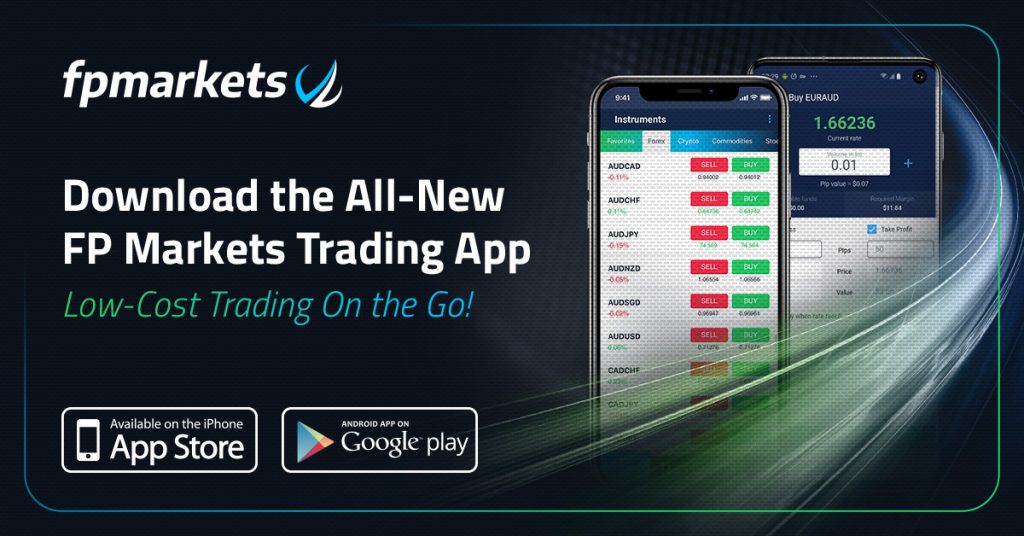
- Mobile: Grab the official FP Markets app from Google Play or the App Store (or direct links in the portal).
Installation takes under two minutes. Double-click the file, follow the wizard, and launch. Log in with your account number, password, and the correct server (it auto-detects in most cases).
Pro tip I learned the hard way: Always download directly from your Client Portal — never random third-party sites. This guarantees you’re on the broker’s optimized version with their tight spreads and fast NY4/LD4 servers baked in.
Here’s a quick comparison to help you decide which platform suits you best:
| Feature | MT5 (Recommended for Beginners) | MT4 (Classic Choice) |
|---|---|---|
| Assets | Forex + stocks, crypto, ETFs | Mainly forex & CFDs |
| Indicators | 80+ built-in | 30+ built-in |
| Timeframes | 21 | 9 |
| Strategy Tester | Advanced (backtest EAs easily) | Basic |
| Copy Trading/Signals | Built-in marketplace | Via add-ons |
| Best for | New traders wanting growth | Simple manual trading |
Step 3: First Login and Platform Tour
Once inside MT5:
- Market Watch window shows live prices.
- Drag any pair (EUR/USD, GBP/JPY, etc.) onto the chart.
- Use the toolbar for indicators like Moving Averages or RSI — they’re all free.
- Right-click → “Trading” to open an order ticket.
Switch between demo and live accounts effortlessly in the same platform. I always keep one chart on demo for testing new ideas while trading live on another.
Practical Trading Insights That Go Beyond the Basics
Here’s where most beginners stumble — and where FP Markets actually helps you win.
Build a simple trading plan first. Grab their free guide here: the official site. Write down three things: your entry rules, stop-loss distance, and maximum risk per trade (I never exceed 1% of my account). Without this, you’re just gambling with extra steps.
Risk management is everything. Use the platform’s one-click stop-loss and take-profit. On Raw accounts, you’ll see spreads as low as 0.0 pips plus a tiny commission — perfect for scalping during London or New York sessions. I’ve watched my win rate climb simply by tightening stops on news events instead of hoping for the best.
Start small and scale. Open that 30-day demo, trade 0.01 lots, and journal every trade in the platform’s built-in history. After two weeks of positive results, fund live with $200–500. The beauty of FP Markets? No inactivity fees and free funding options, so you’re not punished for learning at your own pace.
Common pitfalls I see (and how to dodge them):
- Overtrading during slow Asian sessions — set a daily trade limit.
- Ignoring the economic calendar (built right into MT5).
- Chasing losses — walk away after two red trades in a row.
Their Traders Toolbox and Autochartist plugin (free on MT4/MT5) highlight patterns automatically — a real time-saver when you’re just starting.
Why FP Markets Feels Built for Real Traders
After trying flashy platforms with 100+ indicators nobody uses, FP Markets wins because it’s simple, fast, and honest. Ultra-low costs on Raw accounts, 24/7 support that actually replies, and tools that grow with you — from beginner charts to Expert Advisors later on.
Ready to move from zero to your first trade? Start with the demo right now at the official site. Spend a week inside MT5, follow one solid strategy, and you’ll see why thousands of traders stick with them year after year.
Trading involves risk, but with the right platform and a bit of discipline, it’s one of the most accessible ways to build skills in 2026. Good luck — and may your first pip be in the green.
Head to the official site

•Most Trusted Broker — Asia 2026
•Broker of the Year — LATAM 2026
These awards confirm our commitment to building a rewarding trading environment and helping you uncover your potential. Thank you for choosing to trade with an award-winning broker!
Why choose MetaTrader 5 with Top Forex Brokers?
•Blazing-fast execution & enhanced stability
•38 built-in technical indicators & 21 timeframes for precision trading
•Optimized for all devices—desktop, mobile & web
•Trade a wide range of assets: Stocks, Commodities, Forex & more!
Disclaimer: Trading forex and CFDs carries a high level of risk and may not be suitable for all investors. Ensure you understand the risks involved and consider your financial situation before trading.