

Forex trading has evolved into a dynamic arena where anyone with an internet connection can participate in global markets. If you’re new to this world or looking to switch brokers, FXTM (formerly known as Forextime) stands out as a reliable choice. Founded in 2011 and regulated in multiple jurisdictions, FXTM offers access to forex, commodities, indices, and even cryptocurrencies through user-friendly platforms. In this guide, we’ll walk you through everything from downloading and installing the software to executing your first trades and beyond. Drawing from years of observing market trends, I’ll share some personal insights on what makes FXTM a solid pick for both beginners and seasoned traders.
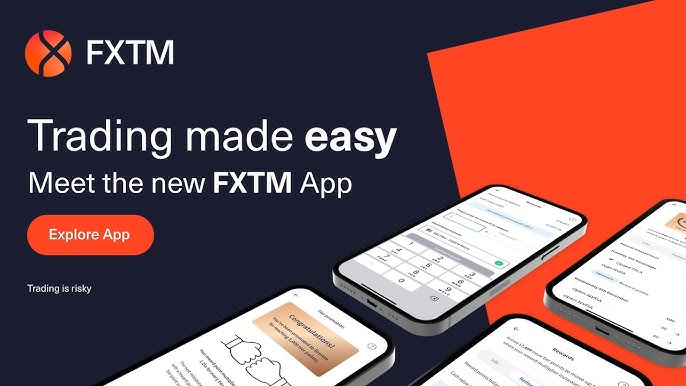
Why Choose FXTM for Forex Trading?
FXTM isn’t just another broker—it’s built for efficiency and accessibility. With tight spreads, fast execution, and a variety of account types, it caters to different trading styles. What sets it apart is its integration with MetaTrader platforms, which are industry standards for their charting tools and automation features. Plus, FXTM has expanded its offerings to include more crypto pairs, reflecting the growing intersection of traditional forex and digital assets.
If you’re starting from zero, don’t worry. The platform’s demo accounts let you practice without risking real money, which is crucial for building confidence. In my view, too many new traders jump in headfirst and get burned; FXTM’s educational resources, like webinars and market analysis, help mitigate that.
- Regulated by FCA (UK), CySEC (Cyprus), FSCA (South Africa), and FSC (Mauritius)
- Extremely low spreads on ECN accounts (as low as 0.0 pips)
- Leverage up to 1:2000 (fixed or floating depending on entity)
- No deposit or withdrawal fees on most methods
- Rich educational academy and daily market analysis
Downloading and Installing the FXTM Trading Platform
FXTM primarily uses MetaTrader 4 (MT4) and MetaTrader 5 (MT5), along with their proprietary mobile app. These platforms are free to download and compatible with Windows, Mac, iOS, Android, and even web browsers for quick access.
Step-by-Step Download and Installation
- Visit the Official Website: Head over to the FXTM trading platforms page to choose between MT4 and MT5. MT4 is great for forex-focused trading with its simplicity, while MT5 offers advanced features like more timeframes and economic calendars.
- Select Your Platform:
- Installation Process:
- Once downloaded, run the installer file (.exe for Windows or .dmg for Mac).
- Follow the on-screen prompts: Accept the license agreement, choose an installation directory, and click “Next.”
- After installation, launch the platform and log in with your FXTM account details (more on that below).
- For mobile users, download the FXTM Trader app from the Google Play Store or Apple App Store. It’s commission-free on major pairs and perfect for trading on the go.
Pro tip: Always download from the official site to avoid malware. If you’re on a Mac, you might need to allow the app in your security settings—Apple’s gatekeeping can be a hassle, but it’s for good reason.
Setting Up Your FXTM Account
Before you trade, you’ll need an account. FXTM makes registration straightforward, taking just a few minutes.
- Register on the Site: Go to FXTM’s registration page and fill in your details. You’ll need to verify your identity with documents like a passport or utility bill for compliance.
- Choose an Account Type: FXTM offers several options tailored to your experience level and risk tolerance. Here’s a quick comparison:
| Account Type | Minimum Deposit | Spreads (Typical) | Commission | Best For | Leverage (Up to) |
|---|---|---|---|---|---|
| Micro | $10 | From 0.4 pips | None | Beginners testing waters | 1:2000 |
| Advantage | $500 | From 0 pips | $0.40–$2 per lot | Active traders seeking low costs | 1:2000 |
| Advantage Plus | $500 | From 0.4 pips | None | Commission-averse users | 1:2000 |
Data sourced from FXTM’s official comparisons as of 2025. The Micro account is fantastic for small stakes, while Advantage shines for scalpers due to zero spreads on majors like EUR/USD.
- Fund Your Account: Use bank transfers, cards, or e-wallets like Skrill. Deposits are usually instant, and withdrawals process within 24 hours.
Once set up, connect your account to the platform by entering your login credentials in the “Navigator” window.
Practical Trading Insights on FXTM
Now that you’re installed and funded, let’s dive into trading. FXTM’s platforms excel in customization—add indicators like RSI or Moving Averages with a right-click.
- Executing Trades: Right-click on a chart, select “Trading,” and choose buy/sell. Set stop-loss and take-profit to manage risks. In volatile markets like 2025’s post-election swings, these tools are lifesavers.
- Leverage and Risk Management: With leverage up to 1:2000, a small deposit can control large positions. But remember, it amplifies losses too. I always advise starting with 1:100 to avoid wipeouts.
- Advanced Features: Use EAs for automated strategies or copy trading via FXTM’s Invest program. For insights, check their daily market analysis.
From personal experience, I’ve seen traders thrive by combining FXTM’s low latency with news-based strategies. During the 2024 crypto boom, pairing forex with BTC/USD on MT5 yielded solid returns—but always diversify.
What Makes FXTM Stand Out in a Crowded Market
Having dabbled in various brokers over the years, FXTM impresses with its no-nonsense approach. It’s not flashy, but it delivers where it counts: execution speed and customer support. One downside? The mobile app could use more charting options, but for quick trades during commutes, it’s unbeatable. If you’re serious about forex, pair FXTM with ongoing education—markets don’t forgive complacency. In today’s economy, with inflation lingering, forex offers a hedge, but treat it like a skill, not a gamble.
Getting into FXTM forex trading is simpler than it seems, from download to your first profitable trade. Whether you’re aiming for passive income or active scalping, this platform provides the tools. Ready to start? Head to FXTM’s site and open a demo account today. Trade responsibly, and may the pips be with you.

•Most Trusted Broker — Asia 2025
•Broker of the Year — LATAM 2025
These awards confirm our commitment to building a rewarding trading environment and helping you uncover your potential. Thank you for choosing to trade with an award-winning broker!
Why choose MetaTrader 5 with Top Forex Brokers?
•Blazing-fast execution & enhanced stability
•38 built-in technical indicators & 21 timeframes for precision trading
•Optimized for all devices—desktop, mobile & web
•Trade a wide range of assets: Stocks, Commodities, Forex & more!
Disclaimer: Trading forex and CFDs carries a high level of risk and may not be suitable for all investors. Ensure you understand the risks involved and consider your financial situation before trading.